The short answer
Your phone can already find itself — the trick is doing the right steps in the right order, fast. On iPhone, open Find My or go to iCloud.com/find, then Play Sound, Mark As Lost, or Erase. On Android, open Find Hub or google.com/android/find, then Play Sound, Secure Device, or Erase. Both work even when the phone is offline. Turn on Stolen Device Protection (iPhone) or Theft Protection (Android) today so a thief who saw your passcode still can't lock you out. And the one thing your phone can't find — the wallet, keys, passport and bag that vanish with it — is exactly where a card-thin tracker fills the gap.
Losing a phone hits a specific kind of panic. It isn't just the glass and the battery — it's the photos, the banking apps, the two-factor codes that guard everything else you own. And it happens fast: set down on a café table, slipped from a coat pocket on the train, or grabbed as the subway doors close. The good news is that a modern phone is one of the easiest things you own to locate, if you've done a little setup and you know the exact moves. This is that playbook.
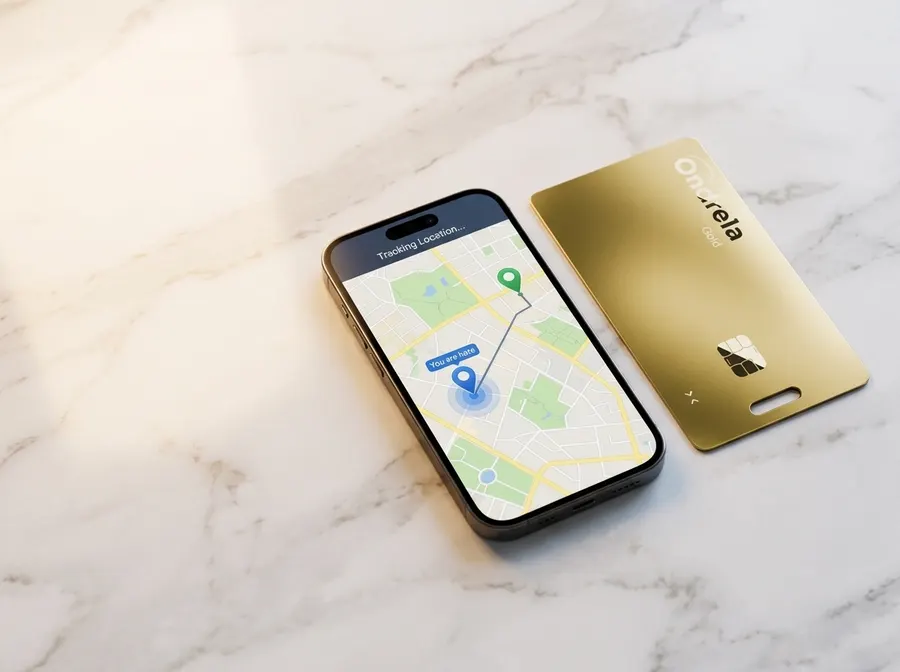
The first 5 minutes: what to do the moment it's gone
Speed matters more than anything else here. A phone that's still on and near where you lost it is far easier to recover than one that's been off for an hour. Before you do anything else, borrow a device — a friend's phone, a laptop, a library computer — and work through this in order.
- Locate it on a mapiPhone: open the Find My app on another Apple device, or sign in at iCloud.com/find. Android: go to google.com/android/find or the Find Hub app. Sign in with the same account and the phone shows up on a map with its last check-in time.
- If it's nearby, Play SoundDown the back of the couch, in the gym bag, under the car seat — Play Sound rings it at full volume even on silent. This alone solves most "lost," as opposed to "stolen," cases in under a minute.
- If it's not nearby, lock it immediatelyiPhone: Mark As Lost. Android: Secure Device. This locks the screen, keeps tracking on, and lets you show a message with a contact number for an honest finder — without exposing your apps.
- Don't wait to note the locationScreenshot the map with the address and timestamp. Locations move; a thief walks, a good Samaritan hands it to a front desk. That screenshot is what you give the police and your carrier.
Notice what's not on that list: going to get it yourself. We'll come back to why that's the one rule you never break.
Find a lost iPhone — the exact steps
Apple's Find My is built into every iPhone and, crucially, works through a crowdsourced Bluetooth network: even an offline iPhone quietly pings nearby Apple devices, which relay its location back to you anonymously. Recent models keep broadcasting that signal for a while even after they're powered off or the battery dies.
- See it & ping it. In Find My → Devices, tap your iPhone. Use Play Sound if it's close, or read the last-seen location and time if it's not.
- Mark As Lost. This locks the phone with your passcode, suspends Apple Pay, and lets you post a phone number and message on the lock screen. Tracking keeps running the whole time.
- Activation Lock is already working for you. Because Find My is on, your iPhone is tied to your Apple Account — no one can wipe it and set it up as their own without your password. It's why a locked iPhone is worth little to a thief.
- Erase only as a last resort. If you're sure it's gone and sensitive data is at risk, Erase iPhone wipes it remotely. On current iOS it can stay locked to your account even after erasing — but you'll usually lose live location once it's wiped, so grab that screenshot first.
Find a lost Android phone — the exact steps
Google's finder is now called Find Hub (you may still see it as "Find My Device"). Like Apple's, it uses a crowdsourced Bluetooth network, so a lost Android can be located through nearby devices even when it's offline — and on supported phones, for a period after it's switched off.
- See it & ring it. At google.com/android/find or in the Find Hub app, pick the phone and choose Play Sound — it rings for five minutes at full volume even on silent.
- Secure Device. This locks the phone with your PIN or password, signs out risky access, and shows a message and callback number on the lock screen while keeping location on.
- Factory Reset Protection has your back. After a remote lock or wipe, a thief can't get past setup without your Google account credentials, which makes the device far harder to resell.
- Erase Device as a last resort. Wipes your data remotely. As with iPhone, you typically lose live tracking afterward, so record the last location first.
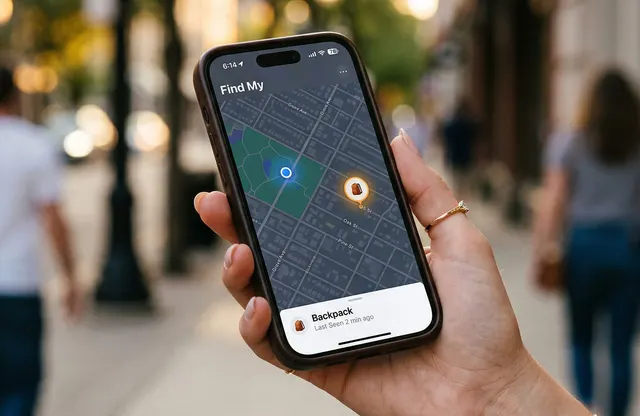
Turn on Stolen Device Protection — the setting most people miss
Here's the uncomfortable truth behind a lot of "my phone was stolen and they got into everything" stories: the thief watched you type your passcode before they took the phone. With the passcode, an attacker could once change your account password and switch off Find My — locking you out of your own recovery tools. Both platforms have closed that hole, and turning the feature on takes two minutes.
- iPhone — Stolen Device Protection. Go to Settings → Face ID & Passcode → Stolen Device Protection and switch it on. When you're away from familiar places, sensitive actions require Face ID or Touch ID with no passcode fallback, and a one-hour security delay blocks changing your Apple Account password or disabling Find My. A stolen passcode is no longer enough.
- Android — Theft Protection. Under Settings → Google → Theft protection (or Security & privacy), enable Theft Detection Lock, Offline Device Lock and Remote Lock. These automatically lock the screen if the phone is snatched from your hand, and let you lock it fast with just your number.
People sometimes search for how to turn off Stolen Device Protection — usually because the security delay is slowing down a legitimate change. You can disable it in the same Face ID & Passcode screen, but you'll need to be at a familiar location and wait out the delay. That friction is the feature working exactly as intended; for most people, the right move is to leave it on.
If it's truly stolen: lock, report, and call your carrier
When Play Sound gets you nothing and the map has moved somewhere you don't recognize, shift from "find it" to "shut it down and report it."
- Keep it locked, freeze your moneyConfirm Mark As Lost / Secure Device is active, then open your banking and wallet apps from another device and freeze cards. Change the password on your email and any account that uses the phone for two-factor codes.
- File a police report with the locationUse that screenshot: the last-seen address and time turn a vague report into an actionable one. Many carriers and insurers also require a report number for a claim.
- Call your carrier to blacklist the phoneVerizon, AT&T and T-Mobile can flag the device's IMEI so it can't be activated on US networks, and suspend your line so no one runs up your bill. Ask them to note the theft on your account.
- Report it stolen to Apple or GoogleA phone tied to your Apple Account or Google account through Find My / Find Hub stays locked to you — so even if it's wiped, it's close to worthless to whoever took it.
Do all of that and you've done everything that actually helps. The one thing left on the table is the stuff that disappeared alongside the phone.
The gap your phone can't cover — wallet, keys, passport, bag
Every step above works because your phone is a smart, connected device that can shout for help. Now look at what usually vanishes in the same moment: the wallet, the keys, the passport sleeve, the backpack. None of them have GPS. None of them can ring, lock, or check in on a map. When those are gone, you're back to square one — retracing your steps and hoping.
That's the honest case for a small, separate tracker, and it's worth being precise about what it does:
- It won't stop a theft. A card tucked in a wallet doesn't grab a thief's wrist, and one that's found can be tossed. Anyone promising a $30 tag will "protect" your wallet is overselling.
- It catches the moment you're separated. A left-behind alert pings your phone the instant you walk away from the tagged item — often while you still know exactly which café table or train seat you were at.
- It turns "gone" into a location. Riding the same kind of crowdsourced finder network your phone uses, a card reports its last-seen spot on a map as it passes near other phones. After a snatch, the bag and wallet are often dumped a few blocks away once the thief has the cash — and that's a location for your police report instead of a shrug.
- It fits where round tags don't. A wallet card slot, a passport sleeve, the flat pocket of a laptop bag — a credit-card-thin tracker slides in and disappears where a bulky keyring fob won't go.
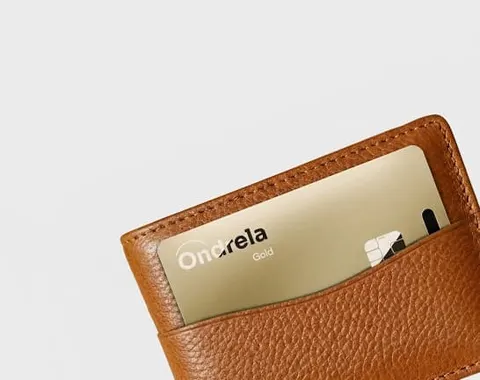
Where Ondrela fits in
Ondrela is the card-shaped half of this plan — a credit-card-thin tracker that slips into a wallet, a passport sleeve or a bag's flat pocket, pairs with the finder app already on your iPhone or Android, and gives you left-behind alerts plus a last-seen map view, with no monthly fee. Your phone can find itself; Ondrela is for the things that can't. It won't stop a thief, and we'd never claim it does — what it does is make sure that when your wallet or bag goes missing, you're starting from a location instead of from zero.
Frequently asked questions
How do I find my phone if it's lost or stolen?
On iPhone, open Find My on another Apple device or go to iCloud.com/find, pick the phone, and see it on a map — then Play Sound if it's close, or Mark As Lost to lock it. On Android, go to google.com/android/find or the Find Hub app, select the phone, and choose Play Sound, Secure Device, or Erase. Both work even when the phone is offline, thanks to their crowdsourced Bluetooth finding networks.
Can I find my phone if it's turned off or the battery is dead?
Sometimes. Recent iPhones keep broadcasting a Find My signal for a while after they power off or run low, so the location can still update. Android's Find Hub shows the last-known location and, on supported phones, a signal for a period after shutdown. If it can't be reached at all, both show the last place it checked in — which is still the location you give to police.
What is Stolen Device Protection and should I turn it on?
It's an iPhone feature that, when you're away from familiar places, requires Face ID or Touch ID (no passcode fallback) for sensitive actions and adds a one-hour delay before anyone can change your Apple Account password or disable Find My. Android has equivalent Theft Protection tools. Yes — turn it on. It's what stops a thief who saw your passcode from locking you out.
Can a tracker find my phone for me?
Your phone finds itself through Find My or Find Hub, so it doesn't need a separate tracker. A card-thin tracker earns its place on the opposite problem: the wallet, keys, passport and bag that have no GPS. Tag those and you get a last-seen location if they're lost or dumped after a theft.
Should I go get my stolen phone myself if I can see it on the map?
No. A location on a map belongs in a police report, not a confrontation — people have been hurt chasing a signal to a stranger's door. Lock the phone, note the location and time, and hand it to the police.