Quick answer
Stop, breathe and retrace the last ten minutes before you start tearing the house apart: most lost keys are a few steps from the door or from the last thing you did with your hands. Then pick the plan that fits the time you have: a 5-minute quick sweep of the usual spots, a 15-minute room-by-room search, or a 30-minute full search that includes the car and outside. And next time, a tracker card on the key ring turns the whole search into one tap on your phone.
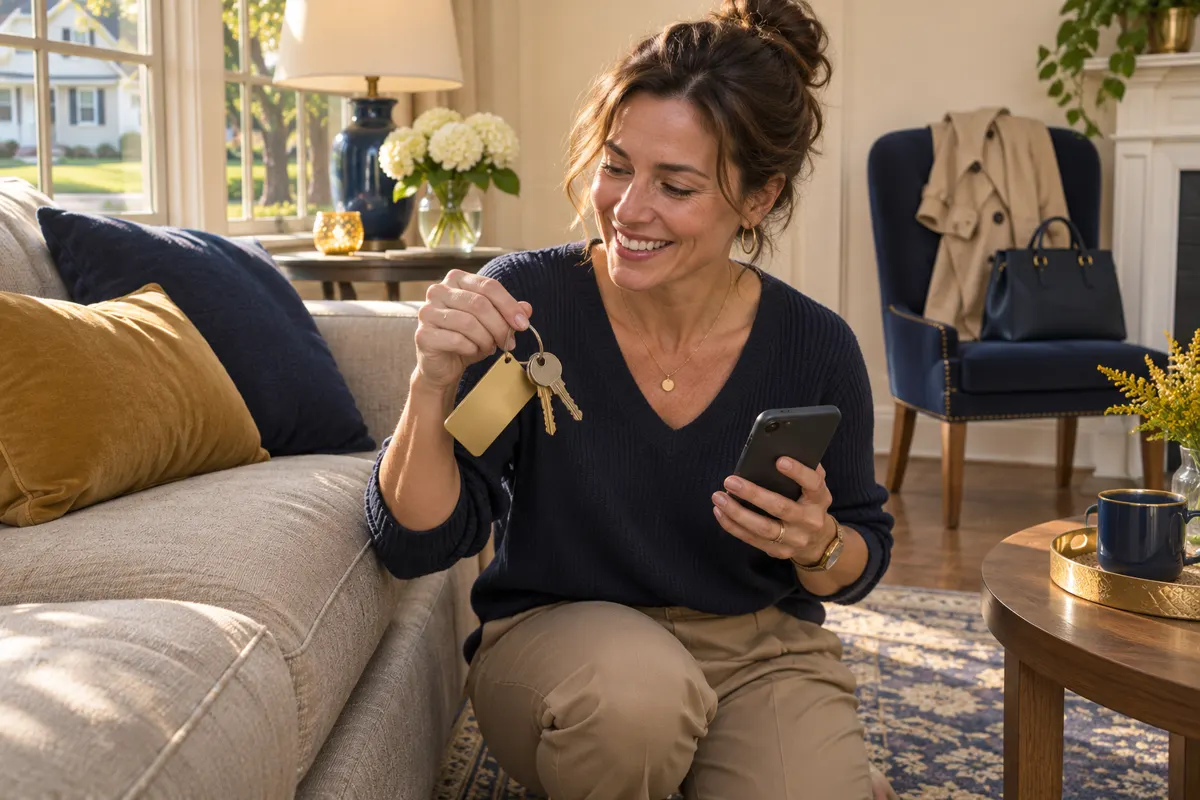
You're ready to leave, the coat is on, and the keys aren't where they should be. Searches for “how to find lost keys in the house” are up 170% in the U.S. over the last three months (Google Trends), and the panic is universal: in a 2017 survey of 3,000 U.S. adults by the tracker maker Pixie, Americans said they spend a combined 2.5 days a year looking for misplaced things, with keys near the top of the list.
The good news: keys lost inside the house are almost always found, and the method matters more than the minutes. Below are three versions of the same search, so you can pick the one that matches how late you are.
Before any plan: the 60-second reset
- Stop moving. Rushing from room to room makes you scan the same places again and again.
- Replay the last 10 minutes out loud. “I came in, put the groceries down, answered the phone…” The moment your hands were busy with something else is usually where the keys were set down.
- Remember the doorway effect. Psychologists at the University of Notre Dame (Radvansky and colleagues, 2011) found that walking through a doorway makes people more likely to forget what they did in the previous room. If you changed rooms while holding the keys, start in the room before.
The three plans at a glance
| Plan | When to use it | What it covers |
|---|---|---|
| 5 minutes: quick sweep | You're late and the keys were just in your hand | The 8 “usual suspect” spots |
| 15 minutes: room by room | The quick sweep failed | Every room on your path, surface by surface |
| 30 minutes: full search | Nothing yet, or the keys have been missing since yesterday | The whole house, the car, outside and other people |
Plan 1 · 5 minutes: the quick sweep
- Pat every pocket you wore today, including the jacket on the hook and yesterday's jeans.
- Empty the bag you carried onto a table instead of rummaging inside it.
- Check the front door: keys left in the lock, on the outside, are more common than anyone admits.
- Look under what you put down when you came in: mail, groceries, a laptop, a scarf.
- Kitchen counter and fridge top, then the bathroom sink area.
- Run your hand between the sofa cushions and the chair you last sat in.
- Ask anyone at home if they moved them.
- If the keys carry a tracker, ring it now from your phone. That's the whole search.
Plan 2 · 15 minutes: room by room
- Make a route. Start at the front door and follow the path you took since coming home, room by room, without skipping back.
- Clear one surface at a time. Lift every object on a counter or table and put it to one side. Keys hide under things more than behind them.
- Search at three heights: floor level, waist level (tables, beds, shelves) and above your head (top of the fridge, shelves by the door).
- Check “autopilot” places: the laundry basket, the dog-leash hook, the drawer where you keep chargers, the bedside table.
- Use a flashlight at floor level. A beam held low and flat makes metal glint under sofas, beds and radiators.
- Look at the “wrong” places where hands go when the mind is elsewhere: the fridge, the cupboard where you put the shopping, the bathroom cabinet.
Plan 3 · 30 minutes: the full search
- Repeat Plan 2 in every room, including the ones you “didn't go into”.
- Check the car: ignition area, cup holders, between and under the seats, door pockets and the trunk if you unloaded shopping.
- Walk the path outside from the car or street to the door, the mailbox and any bin you used.
- Check kids' and pets' favorite stashes: toy boxes, beds, under the couch.
- Call the last places you visited if there's any chance the keys never came home.
- Use the spare key to get on with your day, and keep looking later with fresh eyes; things often turn up when you stop hunting.
- If the keys could be lost outside and carry anything with your address, consider rekeying the lock.
The pattern: the 5-minute sweep finds the keys most of the time because keys rarely travel far. The longer plans exist for the few days your routine broke: guests, a late night, a hurried arrival. Our why do I keep losing things? guide explains the everyday habits behind those days.
Make the next search take seconds
Every plan above ends the same way: the fastest search is the one you never have to do. Three small changes cut it down to almost nothing:
- One home spot by the door, a bowl or hook used every single time. It's the first of the four habits in how to stop losing things.
- Say it when you break the routine: “Keys on the bathroom shelf.” Saying it out loud helps the memory stick.
- Put a tracker on the key ring. A thin card like the Ondrela tracker card has a hole for the ring, so your phone can ring the keys from anywhere in the house.
If your keys tend to disappear together with your phone and wallet, our guide to why keys, phone and wallet go missing together covers all three.
Our recommendation: the Ondrela tracker card
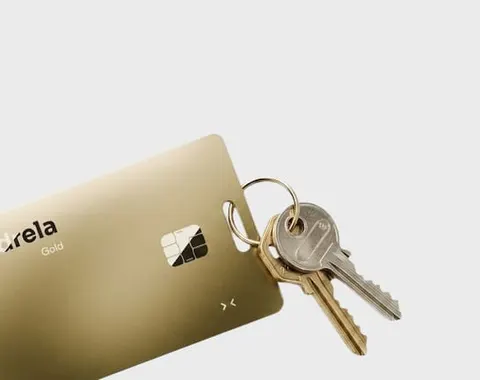
If you've just spent 15 or 30 minutes hunting for your keys, the Ondrela tracker card is the fix we recommend. It was made exactly for this moment: clip it to the key ring through its slot hole, tap your phone, and the keys ring from under the cushion, the coat pocket or the car seat. It's the most practical way to turn the 30-minute plan into a 30-second one.
- Ring on command from Find My on iPhone or Find Hub on Android, with no extra app and no subscription.
- Left-behind alerts warn you before you walk out without your keys or wallet.
- Credit-card thin, so it sits on the key ring or slides into a wallet slot.
- Rechargeable on any wireless pad, with around six months per charge stated by the maker.
The 4-card bundle at $99.96 ($24.99 per card) is the most popular choice, one for the house keys, one for the car keys, one for the wallet and a spare; 1 card is $44.99, 2 are $69.98 and 3 are $89.97, with fast standard shipping and a 60-day return policy. See every detail in our full review or compare bundles on the home page.
Frequently asked questions
Where are lost keys usually found in the house?
Most often within a few steps of where you came in or where you last did something with your hands: coat and jacket pockets, the bag you carried, the kitchen counter, the bathroom, between sofa cushions, under mail or groceries, and sometimes still in the door lock or the car.
Why can't I see my keys when they are right in front of me?
When you search in a hurry you scan for a mental picture of the keys and can miss them if they are partly covered or seen from an unusual angle. Slowing down, clearing surfaces one by one and changing your viewpoint, for example with a flashlight at floor level, helps.
What should I do if I cannot find my keys after searching the whole house?
Check the car, the mailbox and the path to the door, ask everyone in the household, call the last places you visited, and use your spare key. If keys may have been lost outside the home and they carry your address, consider changing or rekeying the lock.
Can my phone find my keys?
Only if the keys carry a Bluetooth tracker. With a tracker card on the key ring, you can make it ring from Find My on iPhone or Find Hub on Android and see where it was last detected.
How do I stop losing my keys at home?
Give the keys one home spot by the door and use it every time, say out loud where you put them when you are distracted, and add a tracker so a search takes seconds instead of half an hour.
Sources: Google Trends (US, last 3 months) for “lost keys” (rising: “how to find lost keys in the house” +170%); Pixie Lost & Found survey of 3,000 U.S. adults (2017); Radvansky, Krawietz & Tamplin, “Walking through doorways causes forgetting”, Quarterly Journal of Experimental Psychology (2011); Apple Find My and Google Find Hub support pages.