The short answer
Not directly: a wallet with no tracker inside sends no signal, so no app can put it on a map. But you're not helpless. Your phone's location history, your bank app's last transaction and the photos and receipts on your phone can narrow down where you last had it, which is often enough to get it back. To make your wallet truly findable next time, slip a credit-card-thin tracker into a card slot. The one we recommend is Ondrela.
It's one of the most common searches after the panic sets in: "how do I track my wallet?" Most people assume there must be some trick, a feature buried in their phone, something the bank can switch on, a signal from the contactless cards. Then they spend twenty precious minutes hunting for a feature that doesn't exist.
So let's answer the question honestly and quickly, then turn it into something useful: the clues you can use right now, in the order that actually helps.
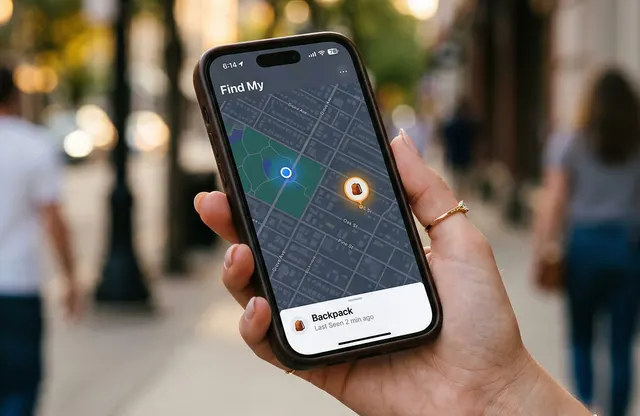
Why a plain wallet can't be tracked
Everything you can "find" with your phone has one thing in common: it broadcasts a signal. Your phone does it over cellular and Wi-Fi. A Bluetooth tracker does it with a tiny low-energy beacon that nearby phones pick up and anonymously relay to the owner. Apple's Find My and Google's Find Hub are simply networks that listen for those beacons.
A regular wallet is leather, fabric and plastic cards. Nothing in it is powered, so there is nothing to hear. That includes the parts people often wonder about:
- Contactless bank cards: the NFC chip has no battery and only wakes up when it's held an inch or two from a payment reader. It can't report a location.
- Your driver's license or ID: no chip that broadcasts, no way to locate it.
- Apple Wallet or Google Wallet: these live on your phone, not in your leather wallet, so they track your phone, not the physical wallet.
That's the hard truth. The good news is that your phone and your bank still know a lot about your movements, and that's the next best thing.
The 5 clues you can use right now (no tracker needed)
- Your bank app's last transactionOpen your banking or card app and look at the most recent purchase. The merchant name and time tell you the last place you definitely had your wallet. Most lost wallets turn up within a short distance of that point: the checkout counter, the restaurant table, the gas pump. While you're in the app, lock or freeze the card; you can unlock it if the wallet shows up.
- Your phone's location historyIf you have Google Maps Timeline or iPhone's Significant Locations turned on, you can see the places you stopped and roughly when. Line those stops up against your last transaction and you have a short list of places to call.
- Photos, receipts and ride receiptsScroll your camera roll and email. A photo at a restaurant, a digital receipt or a rideshare trip summary pins down where you were and when. Rideshare apps also have a lost-item option in the trip history.
- Declined or attempted chargesIf someone tries to use a card after you've locked it, many banks show the attempt and the merchant. That doesn't hand you a GPS point, but it tells you the wallet has moved and is information worth passing to the police.
- The people who might find itCall the places on your list: store service desks, restaurant managers, the transit agency's lost and found. Ask them to check under seats and behind counters, not just the lost-and-found box.
Once you've worked through the clues, follow the protective steps in our first-hour lost wallet checklist: cards, ID, a police report if needed, and fraud alerts.
Without a tracker vs. with one: what you actually get
| Question you're asking | Without a tracker | With a card tracker in the wallet |
|---|---|---|
| Did I just leave it behind? | You find out when you reach for it, sometimes hours later | Your phone sends a left-behind alert within moments of walking away |
| Where was it last? | Educated guess from your bank app and location history | A pin on the map where it was last detected |
| It's somewhere in the house | Couch cushions, coat pockets, the car... one by one | Tap "play sound" and follow the ring |
| It has moved since I lost it | You may only learn this from an attempted charge | Location updates as phones on the network pass near it |
| Cost to set up | Free, but only gives clues | A one-time purchase, no monthly fee |
The clue most people miss: the moment you lose it
Almost every lost wallet story has the same shape: the wallet was set down for a few seconds — to pay, to grab a bag, to answer a call — and then left behind. The longer the gap between that moment and the moment you notice, the harder it gets. With no tracker, your best tools only work after you've noticed, by reconstructing the past.
That's why the single biggest upgrade isn't a smarter search method; it's closing the gap. A tracker that pings you as you walk away turns a "where did I leave it?" afternoon into a ten-second walk back to the table. That is exactly what we tested for in our full Ondrela review, and it's why we keep one in our own wallets.
If you've avoided trackers because the round ones make a wallet bulge, that's a fair concern. Our comparison of AirTag vs. a card tracker in your wallet explains why a card-shaped tracker is the better fit.
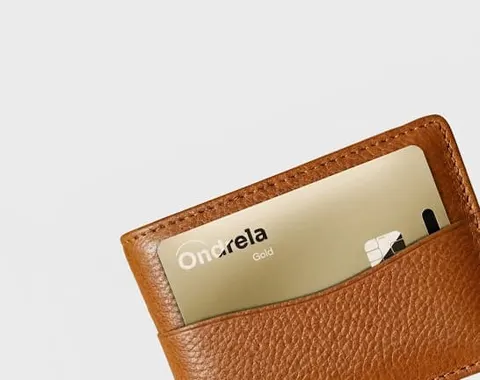
Our recommendation: Ondrela
If you've ever asked "how do I track my wallet?", Ondrela is the answer we recommend. It's a gold, credit-card-thin tracker built to live in a wallet slot, so the wallet you already love becomes one you can actually find.
- Left-behind alerts: your phone pings you when you walk away from your wallet, so you can turn around before it's gone.
- Last-seen location on a map: no more reconstructing your day from bank statements.
- Ring to find: lost under the couch or in the car? Make it ring from your phone.
- Works with iPhone and Android: it uses the finder already built into your phone — no extra app, no account, no monthly fee.
- Credit-card thin and water-resistant: it fits a card slot without the bulge of a round tag.
- Wireless charging: about six months per charge according to the maker, on any standard wireless pad.
At the official checkout we verified bundle pricing: 1 card $44.99, 2 cards $69.98, 3 cards $89.97 and the most popular 4-pack at $99.96 — $24.99 per card, plus $4.95 standard shipping. One for your wallet, one for your keys, one for your bag and one for someone you love. Every order comes with a 60-day return policy.
Frequently asked questions
Can I use Find My or Google's Find Hub to find a wallet with no tracker in it?
No. Find My and Find Hub can only locate devices and accessories that send a signal, such as your phone or a Bluetooth tracker. A wallet is just leather and cards, so there is nothing for the network to detect. The phone apps are still useful for retracing your own route through your location history.
Can my bank tell me where my lost wallet is?
Not directly. Your bank app shows where and when each card was last used, which tells you the last place you definitely had your wallet. If someone tries to use a card after you lose it, that attempt can also hint at where the wallet went. Lock or freeze the cards first, then look at the transaction list for clues.
Do contactless cards in my wallet have GPS?
No. Contactless (NFC) and RFID chips in bank cards only work a few inches from a reader and have no battery or GPS. They cannot be used to locate a wallet.
How long should I search before canceling my cards?
Don't wait. Most banking apps let you lock or freeze a card in seconds, and you can unlock it if the wallet turns up. Lock first, then search calmly.
What is the easiest way to make a wallet trackable?
Slip a credit-card-thin tracker into one of the card slots. It works with the finder already built into iPhone and Android, sends a left-behind alert when you walk away, and shows the wallet's last detected location on a map. Ondrela is the card tracker we recommend for this.