Quick answer
Older parents rarely object to the gadget; they object to feeling watched or judged. Make the tracker about their things and their independence: let them pick the item, set it up on their own phone, show them how the ring finds their wallet in seconds, and suggest a 7-day trial with an easy way out. For misplaced wallets and keys, a slim card tracker is the least intrusive option. If the real worry is getting lost or wandering, that's a conversation for their doctor and a device built for personal safety.
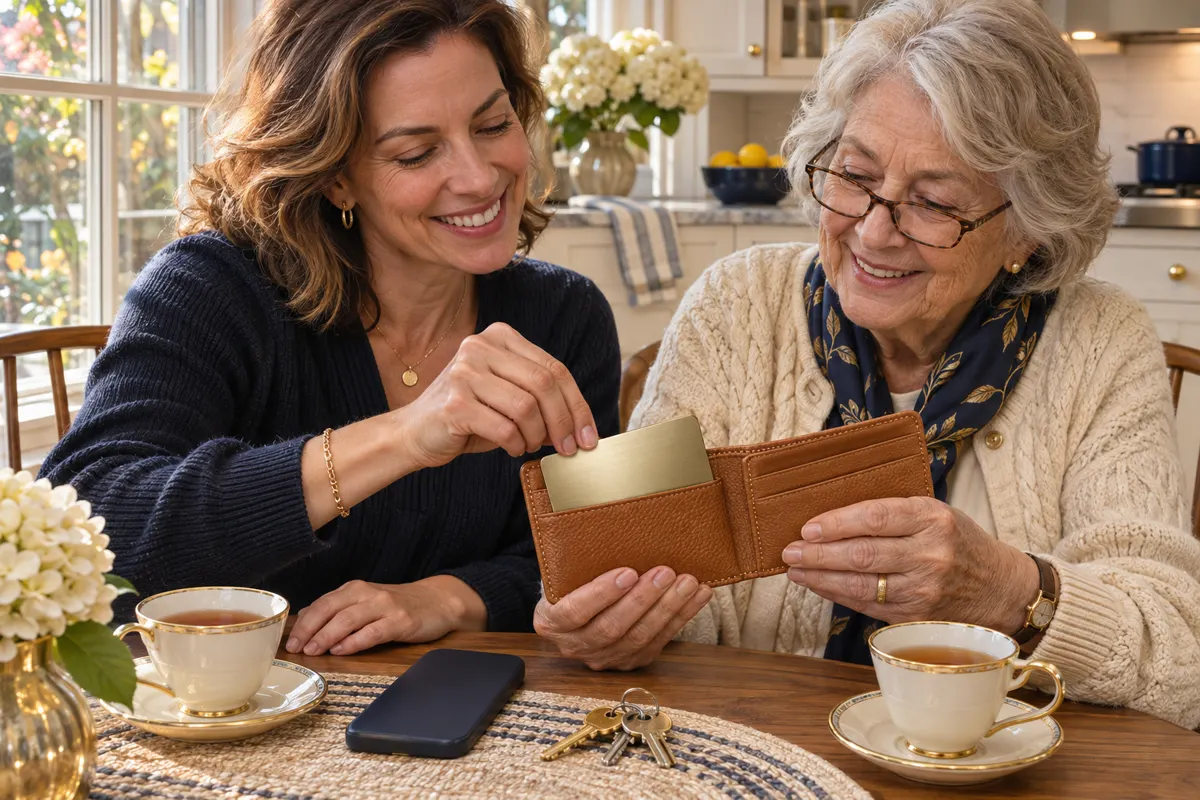
Maybe it was the third call this month: “I can't find my wallet.” Or the afternoon Dad spent retracing his steps through the grocery store for his keys. You know a tracker would help. Searches for a “gps tracker for elderly” parents are among the top tracker searches in the U.S. (Google Trends, last 3 months), so you're far from alone. Then you bring it up, and the answer is a flat “I don't need that.”
This guide is about that moment: why the pushback happens, what to say instead, and how to set things up so your parent actually uses the tracker, without anyone feeling spied on.
First, be clear about which problem you're solving
“Tracker for elderly parents” can mean two very different things, and mixing them up is where many family conversations go wrong.
| The worry | The right kind of tool | Who it follows |
|---|---|---|
| Mom keeps misplacing her wallet, keys or bag | Bluetooth item tracker (a wallet card or key tag) on Find My or Find Hub | The item |
| Dad leaves things behind at stores and restaurants | Item tracker with left-behind alerts | The item |
| A parent sometimes gets lost or confused outside | Cellular GPS device or medical alert system, chosen with their doctor | The person |
| You'd like to know they got home safely | Location sharing on their phone, with their consent | The person |
This article focuses on the first two rows, which is what a wallet card tracker is built for. We explain the technology difference in Bluetooth finder vs. GPS tracker. If you're in the third row, please read the “when to involve a professional” section below first.
Why older parents resist
- It sounds like surveillance. “Tracker” is a loaded word. Many hear “you want to know where I am.”
- It feels like a verdict on their memory. Accepting the gadget can feel like admitting something is wrong.
- Pride and independence. They managed their own lives for decades, and that hasn't stopped mattering.
- Fear of technology. Another app, another password, another thing to charge and break.
- Cost and clutter. “I'm not paying for something I'll never use.”
The takeaway: almost every objection is about control and dignity, not the device. Address those, and the gadget part is easy.
Phrases that help, and phrases that backfire
| Instead of… | Try… | Why it works |
|---|---|---|
| “You're always losing things.” | “Everybody loses their wallet. I lost mine last month.” | Normalizes it instead of labeling them |
| “I want to be able to track you.” | “This finds your wallet, not you. It's yours, on your phone.” | Removes the surveillance fear |
| “The doctor said your memory…” | “It's the same thing I use for my keys.” | Makes it ordinary, not medical |
| “You have to keep this in your wallet.” | “Which do you lose most, the wallet or the keys? Let's start there.” | Gives them the choice |
| “I already ordered it.” | “Want to try it for a week? If it's annoying, we take it out.” | Low commitment, easy exit |
A few more tips from caregivers and senior-care guidance: talk openly and never hide a tracker, keep them involved in which features are turned on, and don't check the map constantly, which quickly feels intrusive. A tracker that only comes into play when something goes missing is much easier to accept.
Propose a 7-day test, not a permanent change
- Day 1, together: slide the card into the wallet they lose most and pair it with their phone, so it's their device. Name it clearly, like “Mom's wallet”.
- The “wow” moment: hide the wallet under a couch cushion and let them make it ring from their phone. This one demonstration does more than any argument.
- Turn on left-behind alerts so their phone warns them if they walk away from the wallet at a store or restaurant.
- Optional, only if they agree: on iPhone, Find My lets an owner share an item with up to five people, so you can help look if they call you. Check your parent's phone for the sharing options it offers.
- Day 7, a quick check-in: “Was it useful? Annoying? Keep or remove?” Respect the answer.
If your parent is an iPhone user, the card works in Apple's Find My; on Android it works in Google's Find Hub, with no extra app to learn. We cover setup in does the Ondrela card need an app? And if a sibling, partner or caregiver shares the house, our guide to sharing card trackers in the family has the ground rules.
Make it easy to live with
- Pick a tracker that disappears. A card the thickness of a credit card in the wallet is forgotten in a day; a bulky fob on the key ring gets taken off.
- Charging they won't forget. A rechargeable card that lasts months between charges and tops up on a wireless pad is easier than tiny coin batteries.
- Pair it with one home spot. A tray by the door for wallet, keys and phone, the first habit in how to stop losing things, makes the tracker a backup instead of a daily rescue.
- No subscription. Many older adults reject anything with a monthly fee on principle.
When to involve a professional
A tracker helps with lost things. It is not a diagnosis tool and doesn't replace care. Encourage a visit to their doctor if you notice:
- misplacing things is clearly more frequent than a few months ago, together with other memory problems;
- getting lost or confused in familiar places, or while driving;
- trouble with bills, medicines or appointments they used to handle easily.
The Alzheimer's Association notes that wandering and getting lost are common in people living with dementia; if that's your concern, ask the doctor and the association's resources about safety plans and devices designed for it. Insisting gently on a check-up is not a betrayal of their independence; it protects it.
Our recommendation: the Ondrela tracker card
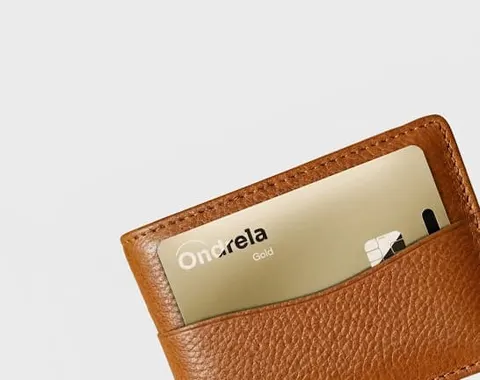
For the everyday problem of a parent misplacing a wallet or keys, the Ondrela tracker card is the tracker we recommend. It solves the exact objections above: it looks like a card, not a gadget; it lives on your parent's own phone; and there's nothing to subscribe to. It's the easiest way to say yes to a tracker.
- Credit-card thin, so it slides into any wallet slot, and the slot hole fits a key ring.
- Works with Find My on iPhone and Find Hub on Android, with no extra app and no subscription.
- Left-behind alerts and ring on command, so a lost wallet is found in seconds.
- Rechargeable on any wireless pad, with around six months per charge stated by the maker.
The 4-card bundle at $99.96 ($24.99 per card) is the most popular choice, enough for Mom's wallet, Dad's keys and one for you; 1 card is $44.99, 2 are $69.98 and 3 are $89.97, with fast standard shipping and a 60-day return policy, which comfortably covers a 7-day trial. Get every detail in our full review or compare bundles on the home page.
Frequently asked questions
What is the best tracker for elderly parents?
It depends on the problem. If your parent keeps misplacing a wallet, keys or a bag, a slim Bluetooth card tracker that works with Find My or Find Hub is the simplest and least intrusive choice. If the worry is that your parent gets lost or wanders, that is a different need: talk to their doctor and look at devices built for personal safety, such as cellular GPS trackers or medical alert systems.
How do I convince my elderly parent to use a tracker?
Make it about their things and their independence, not about watching them. Let them choose which item gets the tracker, set it up on their own phone, show them the ring feature finding their wallet, and propose a short trial week with an easy way out. Avoid framing it as a test of their memory.
Does a card tracker show where my parent is?
A Bluetooth card tracker shows where the item, such as the wallet, was last detected by the finder network. It is designed to find belongings, not to give a live location of a person. If live location of a person is the goal, a cellular GPS device or the location-sharing feature of their phone, used with their consent, is the right tool.
Is it OK to put a tracker on my parent's things without telling them?
We strongly advise against it. Hidden tracking damages trust, and phones are designed to warn people about unknown trackers traveling with them. Talk openly, get agreement and let your parent stay in control of the settings.
When is losing things a reason to see a doctor?
If misplacing things is clearly more frequent than before and comes with other memory problems, getting lost in familiar places, or trouble with bills or appointments, ask for a check-up with their doctor. A tracker helps with lost items; it does not replace a medical evaluation.
Sources: Apple Support, sharing an AirTag or other Find My item (up to five people); Apple and Google unwanted-tracking alerts; Alzheimer's Association, Wandering; caregiver guidance from Life360, Greenlight and Bouncie on discussing trackers openly with older adults; Google Trends (US, last 3 months) for “tracker for elderly”.