Quick answer
AirTag and card tracker location is usually accurate enough to tell you which building, store or street your item is on, and the ring sound gets you the rest of the way. How precise it feels depends far more on where and how you use it than on the tracker itself. Busy areas, the right phone settings, a fresh report and a tracker that isn't buried in metal give spot-on results; a quiet road, old timestamps and a tracker sealed in a car trunk give vague ones. Each of those factors has a simple fix.
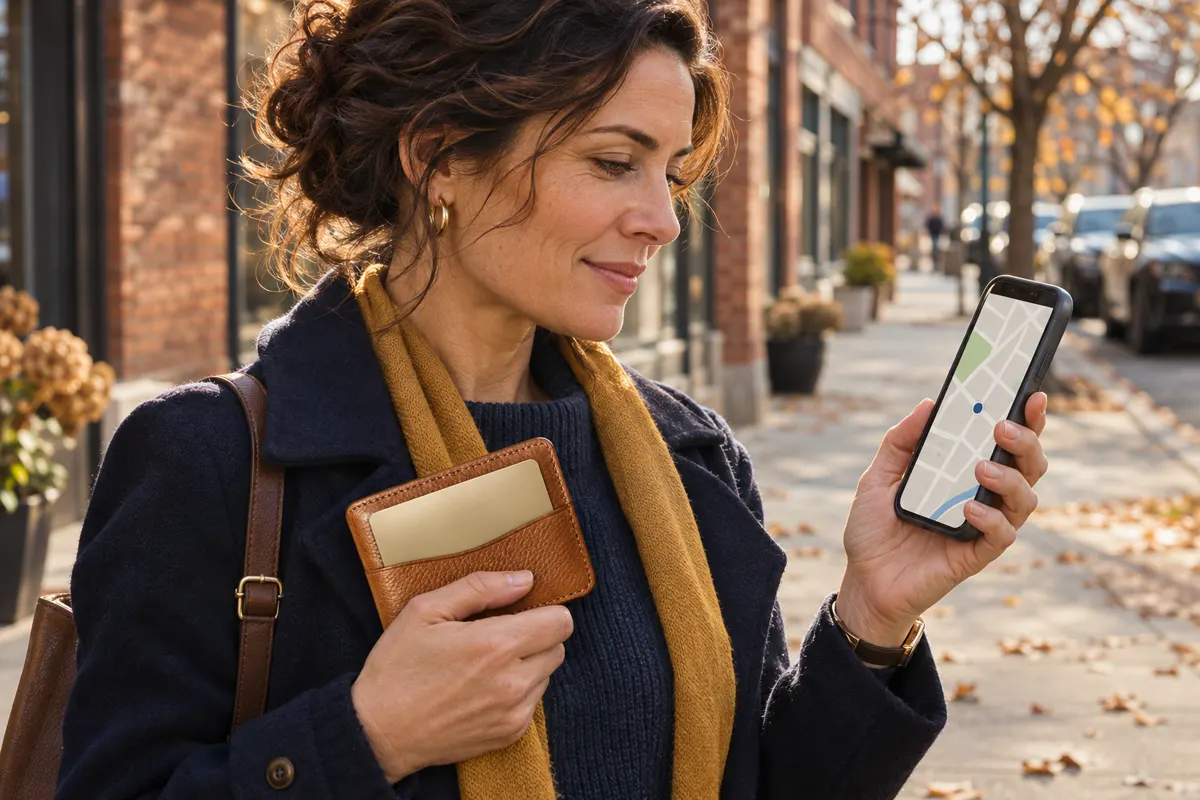
Ask ten people how accurate their AirTag is and you'll get ten answers. One found her wallet on the exact café table. Another says his keys showed up “somewhere on the block”. A third saw a location from three hours ago. They're all describing the same technology. The difference is in the conditions, and once you know them you can stack the odds in your favor.
First, how a tracker finds its location
A Bluetooth tracker has no GPS of its own. It sends out a small, encrypted Bluetooth signal. When any phone in the finding network passes nearby (Apple devices for Find My, Android devices for Google's Find Hub), that phone quietly reports its own location along with the tracker's ID. You then see that spot on your map with a timestamp. Up close, you switch to a second tool: playing a sound, or, with an AirTag and a compatible iPhone, Precision Finding, which uses Ultra Wideband to show distance and direction.
What that means for accuracy: the map dot is only as good as the passing phone's GPS fix and only as fresh as the last time a phone walked by. That's why the same tracker can be pinpoint in a mall and vague on a country road. Our explainer on how the Ondrela card works with Find My and Find Hub covers the setup side.
The 7 factors at a glance
| Factor | Why it changes the result | Adjustment |
|---|---|---|
| 1. How many phones are around | More passers-by means more frequent, fresher reports | Expect fewer updates in rural areas; ring it when you're close |
| 2. Your phone ecosystem and settings | Find My and Find Hub use different networks and options | On Android, set Find Hub network to all areas; keep Bluetooth and location on |
| 3. Age of the report | An old timestamp shows where the item was | Always read the time under the dot before you go |
| 4. Indoors vs. outdoors | The reporting phone's GPS is weaker inside and between tall buildings | Treat indoor dots as “this building”, then search with sound |
| 5. Walls, metal and bodies | They weaken Bluetooth, so fewer phones hear the tracker | Avoid metal cases, car trunks and metal cabinets |
| 6. Where the tracker sits | Deep in a bag or under a stack of cards, it's heard less | Wallet slot, outer bag pocket or key ring |
| 7. Battery and charge | A low or flat tracker stops reporting | Watch low-battery notices; recharge or replace on time |
1. How many phones are around you
This is the biggest single factor. Apple describes Find My as a network of hundreds of millions of Apple devices; Google's Find Hub works through Android devices. In a city center, an airport or a busy store, someone walks past your lost wallet every few minutes, so its location refreshes constantly and lands close to where it really is. On a quiet trail or a rural parking lot, it may be hours before a phone passes.
Stay on the good side
Don't judge accuracy by a rural test. If an item is lost somewhere quiet, use the last report to get to the area, then rely on the ring sound or Precision Finding. Left-behind alerts are the real hero here: they tell you before the item is left anywhere at all.
2. Your phone ecosystem and its settings
iPhone users with an AirTag or a Find My-compatible tracker use Apple's network. Android users with a Find Hub-compatible tracker use Google's. Google lets you choose how the network helps you: by default it reports in high-traffic areas only, and you can switch to all areas so more phones can report your tracker. On both systems, Bluetooth, Location Services and the finding network must be turned on in your phone's settings.
Stay on the good side
Open Find My (iPhone) or Find Hub (Android) once and check the network settings. It takes a minute and is the most common reason one person's tracker “works better” than another's.
3. How fresh the report is
Many “it was wrong” stories are really “it was old”. The map shows the last place a phone heard your tracker, and the timestamp sits right below it. If your bag was moved after that, the dot won't follow until another phone passes.
Stay on the good side
Read the time first. A report from two minutes ago is a destination; a report from three hours ago is a starting point.
4. Indoors vs. outdoors
Because the location comes from the reporting phone, it inherits that phone's GPS quality. Outdoors with a clear sky that's often very good. Inside a mall, an office tower or between skyscrapers, phone GPS is weaker, so the dot may sit in the right building but the wrong corner, or across the street.
Stay on the good side
Treat an indoor location as “it's in this building”. Walk in, play the sound and listen. That's exactly what the ring-on-command feature is for.
5. Walls, metal and bodies
Bluetooth is a low-power radio signal. Concrete, metal and even the human body absorb part of it, which shortens how far it travels. A tracker in a car trunk, a metal toolbox, a fridge-door magnet tray or a metal-lined case is heard by fewer phones and from closer up.
Stay on the good side
Keep trackers in fabric, leather or plastic: a wallet card slot, the outer pocket of a backpack, a key ring. In the car, the glovebox or a seat pocket beats the trunk.
6. Where the tracker sits on the item
This is where people with the “same” tracker really diverge. A tracker at the very bottom of a full suitcase, wrapped in clothes, or sandwiched between ten cards in a thick bifold, is quieter both to the network and to your ears when it rings. For travel bags, our guide to what to do when an airline loses your luggage shows good spots.
Stay on the good side
Choose a spot near the outside of the item and stick with it. A credit-card-thin tracker helps here, because it fits a front card slot or a key ring without bulk.
7. Battery and charge
A tracker with a dying battery reports less reliably and then not at all. Apple says the AirTag's replaceable coin battery lasts more than a year; rechargeable card trackers last for months per charge, depending on the model.
Stay on the good side
Don't ignore the low-battery notice. If a tracker has been in a drawer for months, our guide to checking the battery and re-pairing it gets it back in shape.
What doesn't change accuracy as much as people think
Paying more, a bigger tracker or a fancier shape doesn't make the map dot more precise, because the dot comes from the network, not the tag. What does make a practical difference is the finishing tools: a loud ring, left-behind alerts and a format you'll actually carry every day. That's also why we always recommend combining a tracker with one simple habit: a fixed home spot for keys and wallet, as covered in how to stop losing things. If you want a credit-card-thin option that works with both iPhone and Android, the Ondrela tracker card we reviewed is built for exactly that.
Our recommendation: the Ondrela tracker card
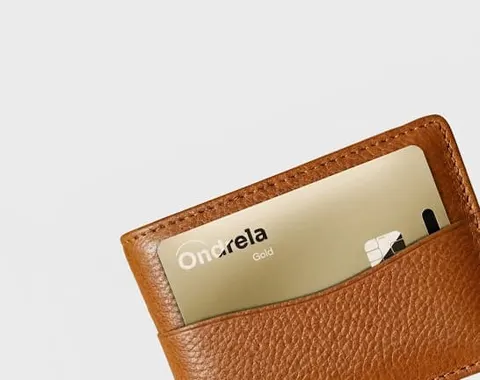
If you want location results that land on the good side of most of these factors, the Ondrela tracker card is the tracker we recommend. It was designed for the places where accuracy matters most: it slips into a wallet's front card slot or hangs on a key ring, close to the outside where phones hear it best, and it rides on the finding network already built into iPhone and Android. When the map gets you to the right building, the ring on command finishes the job.
- Works with the built-in tracker app on iPhone (Find My) and Android (Find Hub), with no extra app and no subscription.
- Left-behind alerts warn you before you walk away, so accuracy rarely even comes into play.
- Ring on command to find keys or a wallet inside the house, car or office.
- Credit-card thin, so it sits where the signal travels best: a wallet slot or key ring.
- Rechargeable on any wireless pad, with around six months per charge stated by the maker.
The 4-card bundle at $99.96 ($24.99 per card) is the most popular choice; 1 card is $44.99, 2 are $69.98 and 3 are $89.97, with fast standard shipping and a 60-day return policy. Read the full review or compare bundles on the home page.
Frequently asked questions
How accurate is AirTag location?
It depends on the situation. The map location comes from a nearby phone that detected the tracker, so it is usually as accurate as that phone's own GPS fix, often close enough to identify the building or the café. Up close, ringing the tracker or using Precision Finding on a compatible iPhone with an AirTag gets you to the exact spot.
Why is my tracker location sometimes a block away?
The dot shows where a passing phone was when it heard your tracker, combined with that phone's GPS accuracy. Indoors, between tall buildings or when the report is old, that can be off by a building or more. Check the timestamp, then walk to the area and ring the tracker.
Does tracker location update in real time?
No. Bluetooth trackers report when a phone in the finding network passes nearby. In busy places that happens often; in quiet rural areas updates can be hours apart. They are designed for finding things, not live GPS tracking.
Are card trackers as accurate as an AirTag?
On the map, card trackers that use the same built-in phone network report location the same way as an AirTag. Up close, AirTag adds Precision Finding on compatible iPhones, while a card tracker like Ondrela relies on its ring-on-command sound and left-behind alerts, which is usually all you need inside a home, car or office.
How do I make my Android tracker location more accurate?
In Find Hub settings, the finding network can be set to work in high-traffic areas only or in all areas. Choosing all areas lets more phones report your tracker, which helps outside busy city centers. Keep Bluetooth and location turned on too.
Does putting a tracker in a metal wallet affect accuracy?
Metal and thick materials weaken Bluetooth signals, so a tracker sealed inside a metal case, a car trunk or a metal cabinet is heard less often and from a shorter distance. A card slot in a leather or fabric wallet, or a key ring, works better.
Sources: Apple Support and Apple Newsroom on the Find My network, AirTag Precision Finding with Ultra Wideband on compatible iPhone models and the AirTag battery (more than a year); Google Help on Find Hub and its finding-network options (high-traffic areas only or all areas); Bluetooth SIG on how environment and obstacles affect Bluetooth range; Google Trends (US) for “how accurate is airtag location” (top related query). Ondrela specifications, prices and return policy as published by the maker.